To-dos and packing lists
Make lists, set reminders, share them, and fill a packing list with Pack for…
To-dos
- Open the trip and tap To-dos.
- Tap + to make a new list, or pick one from the row at the top.
- Type an item on each line. Tap the box to tick it off.
- To set a due date, put the cursor on an item and tap the alarm button above the keyboard. Turn on Reminder to get a notification.
Reminders need notifications turned on for eventobox. You also get a notification an hour before each stop on the itinerary.
Packing lists
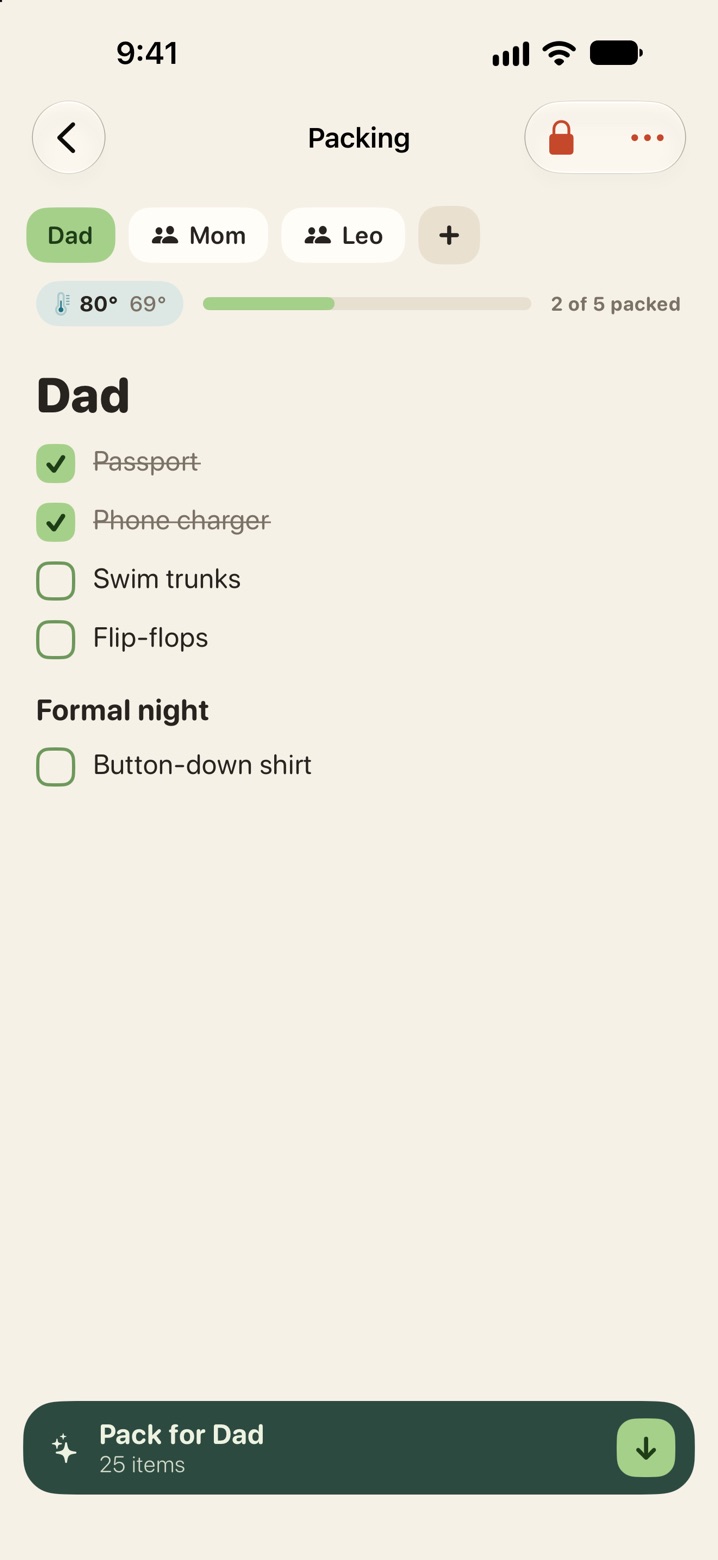
Open the trip and tap Packing. Each person on the trip can have a list. Tap a name at the top to switch, or + to add one.
Pack for…
Tap Pack for at the bottom of a packing list to see suggested items. Add the ones you want, or skip them.
Suggestions come from:
- what that person packed on past trips
- the destination and season
- how you are getting there
- the weather for your dates
On iPhones with Apple Intelligence, suggestions are also written on the device. Nothing is sent to an outside AI service.
Private and shared
A new list or note is private. Only you can see it. A lock at the top right means private.
- Open the list or note.
- Tap the lock at the top right.
- Pick the people to share with, or Everyone on the trip.
To make it private again, open the same menu and untick everyone.