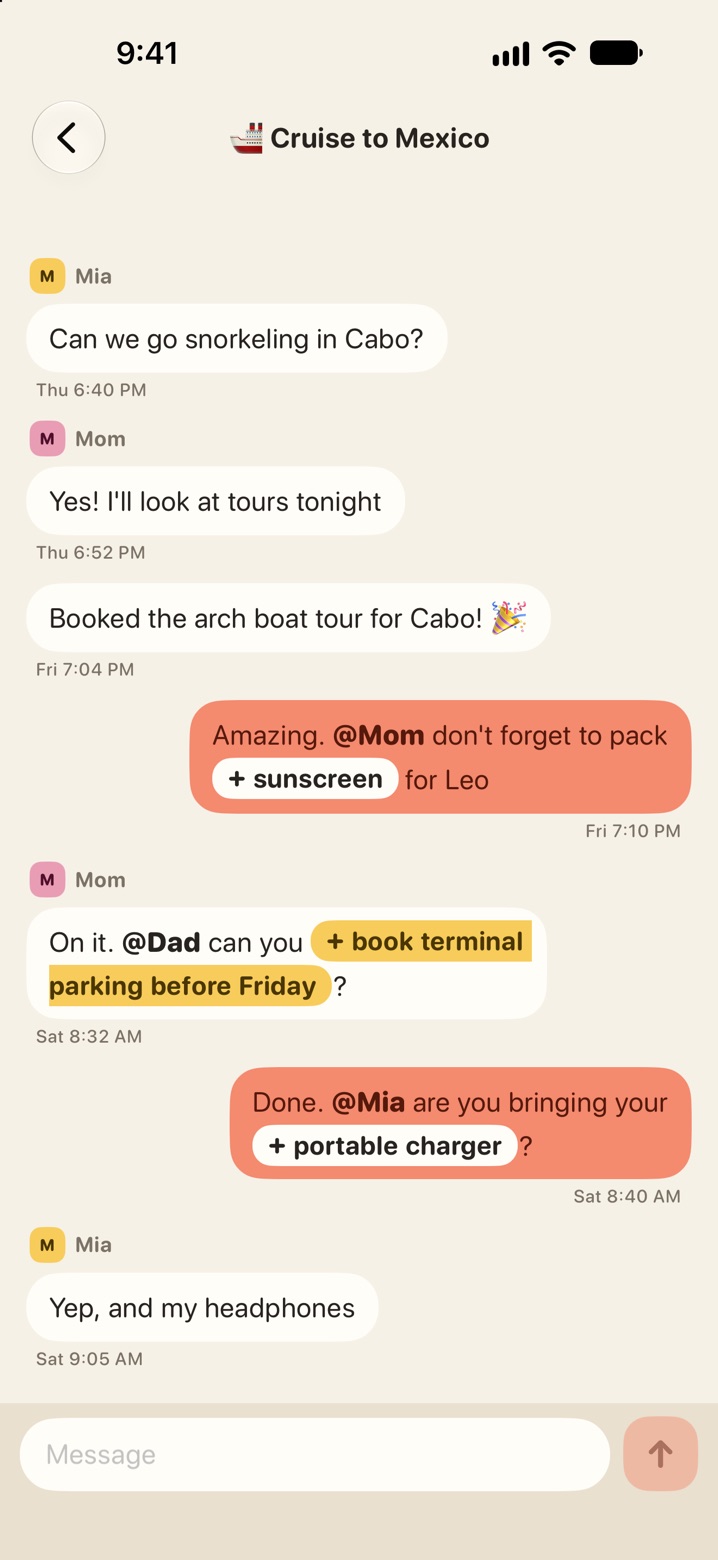
Add items from chat
Turn a chat message into an item on a list.
Each trip has a group chat for everyone on it. Open the trip and tap Chat.
Mention someone
Type @ and pick a name. The message shows up in their Alerts.
Add an item to a list
When a message sounds like something to pack or do, the item is shown as a button inside the message.
- Write a message such as "don't forget to pack sunscreen" or "can you book parking before Friday?"
- Send it. The item appears in the message with a +.
- Tap the item.
- Pick the list to add it to.
Anyone on the trip can tap the item, not only the person who wrote the message.
Not every message gets a button. It works with phrases like "pack", "bring", "don't forget", "remember to" and "can you book".