Itinerary and leave-by times
Add stops to each day and see when you need to leave.
Add a stop
- Open the trip and tap Itinerary.
- Tap Add under the day you want.
- Enter a title.
- Under When, set the start time, and an end time if there is one.
- Under Where, search for the place.
- Add anything else you need: a confirmation code, a link, photos, notes.
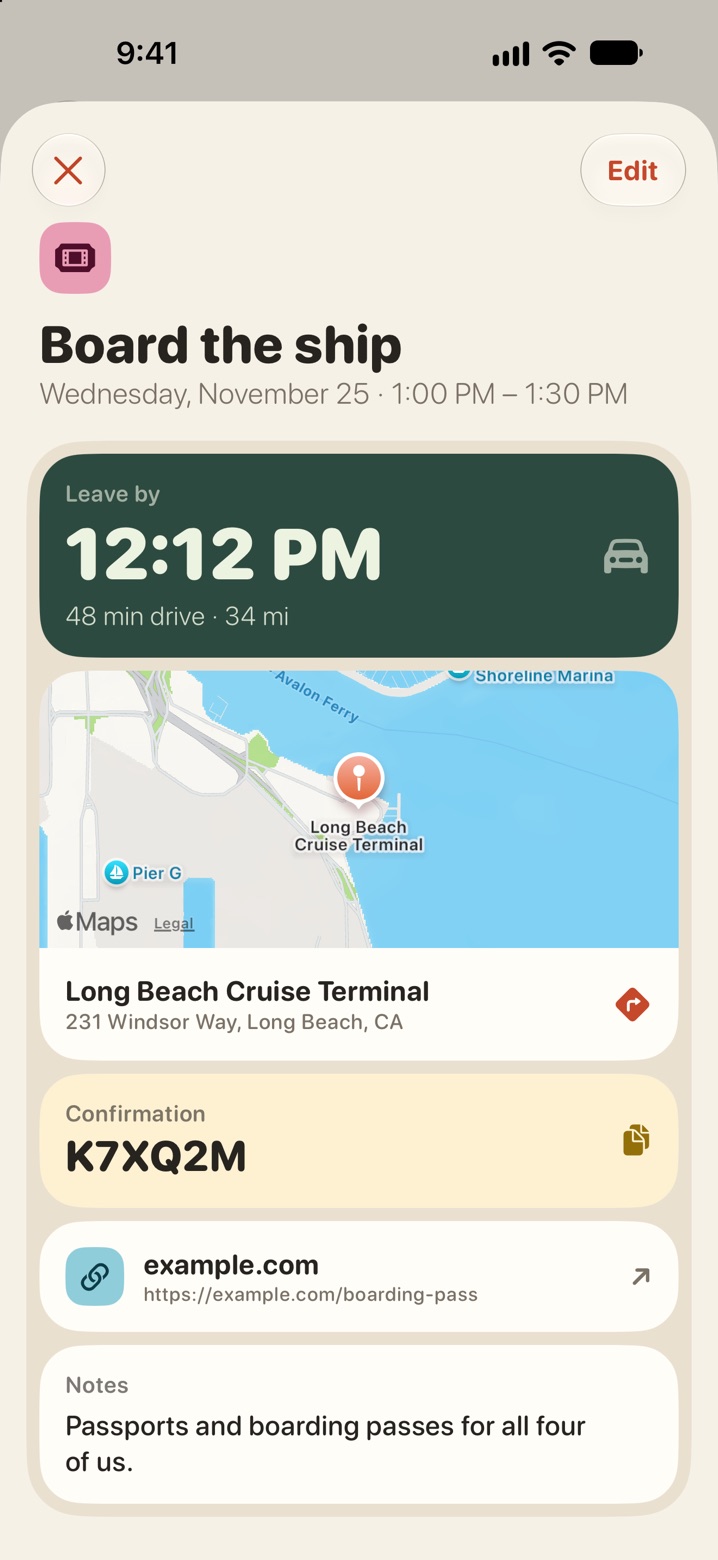
Everyone on the trip sees the stop. Tap a stop to open it. The map shows the place, and the arrow opens directions.
Leave by
A stop with a place and a time can show when you need to leave to get there.
- Open the stop.
- Tap Use my location.
- Allow location access if iOS asks.
The stop shows a leave-by time, the driving time and the distance.
Your location is used on your phone to work out the drive. It is only read when you tap for it, and it is not saved to our servers.
If it does not work
- Location access is off. Turn it on in Settings, under Privacy & Security, Location Services, eventobox.
- No driving route from here. There is no road route between you and the stop, for example when it is overseas.